ROLE
Co-Lead Designer
RESPONSIBILITIES
Led the redesign of the linking flow to address user confusion and drop-offs: analyzed feedback from support and research, clarified cross-device interactions, and partnered with Engineering to align behavior and edge cases across platforms.
COLLABORATORS
Worked with Product Managers, Engineers, UX Designers, Research, Support and QA
The challenge
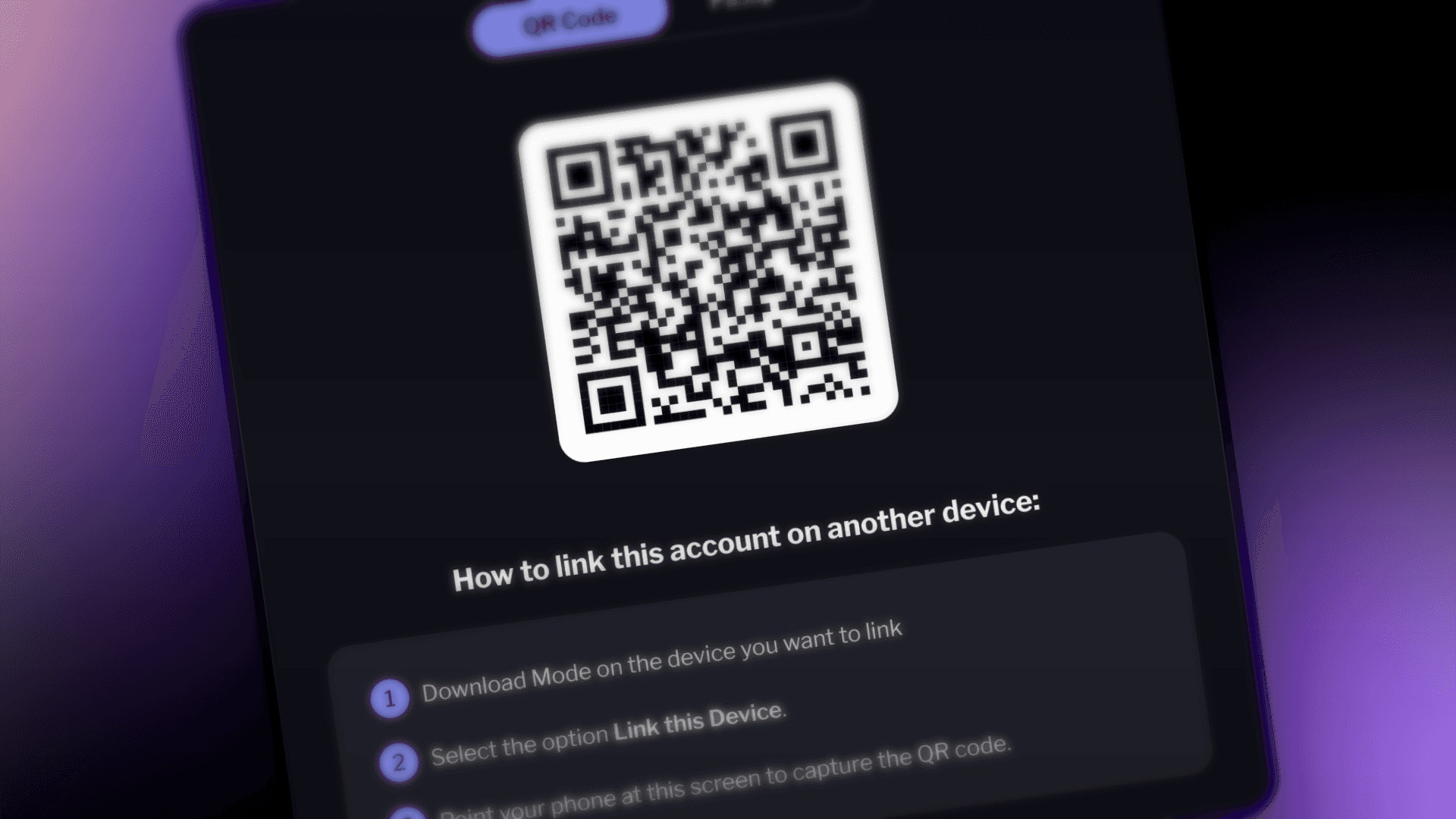
Users recurring pain point is the lack of clarity on how to link a device, struggling to find the option on the welcome screen, and many do not notice or see the instructions on the linking page.
Additionally, users have reported that the instructions do not clearly state that the need to download an install Mode, and they often scan the QR code generated on the device expecting to redirect them to the app store.
BUSINESS NEED
Simplify and clarify the linking process to reduce user drop-off, increase successful logins on multiple devices, and lower tickets on customer support.
USER NEED
A guided, step-by-step flow that clearly shows how linking work.
PROBLEM TO SOLVE
Reduce confusion and errors in the device linking process so that users can confidently and successfully link a new device without needing external help
USER TESTING
Usability test protocol
The purpose of this test is to evaluate the usability of the feature: what works well, what doesn't, and whether users would find it useful. Using the think-aloud method, we can understand users' thought processes and experiences when interacting with the feature.
Item summary learnings
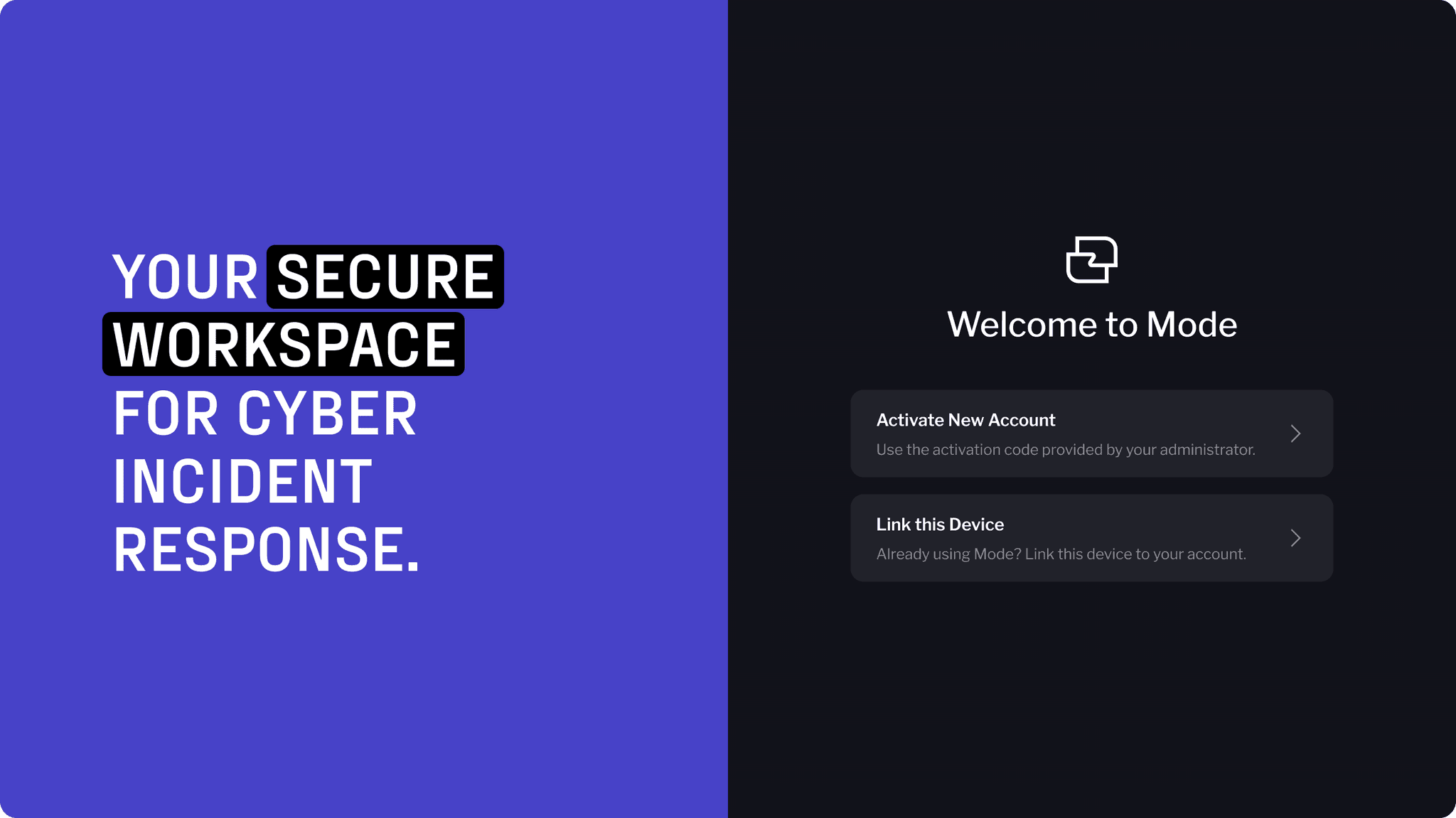
"LINK DEVICE" IS HARD TO FIND
Insight: Users miss the option and follow the wrong flow.
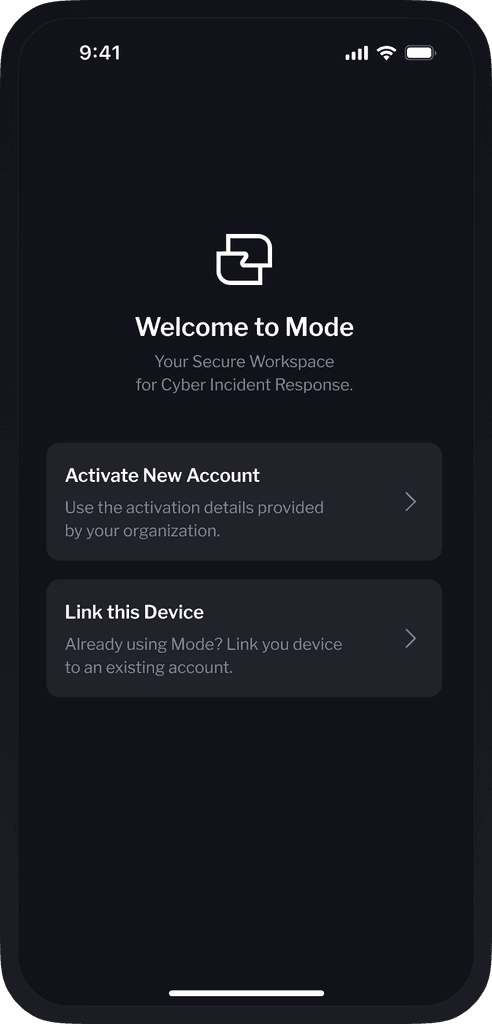
Action: Make it more prominent, add “Already using Mode? Link a device” on the first screen.
QR CODE FLOW IS UNCLEAR
Insight: Users didn’t know how to scan or what to expect.
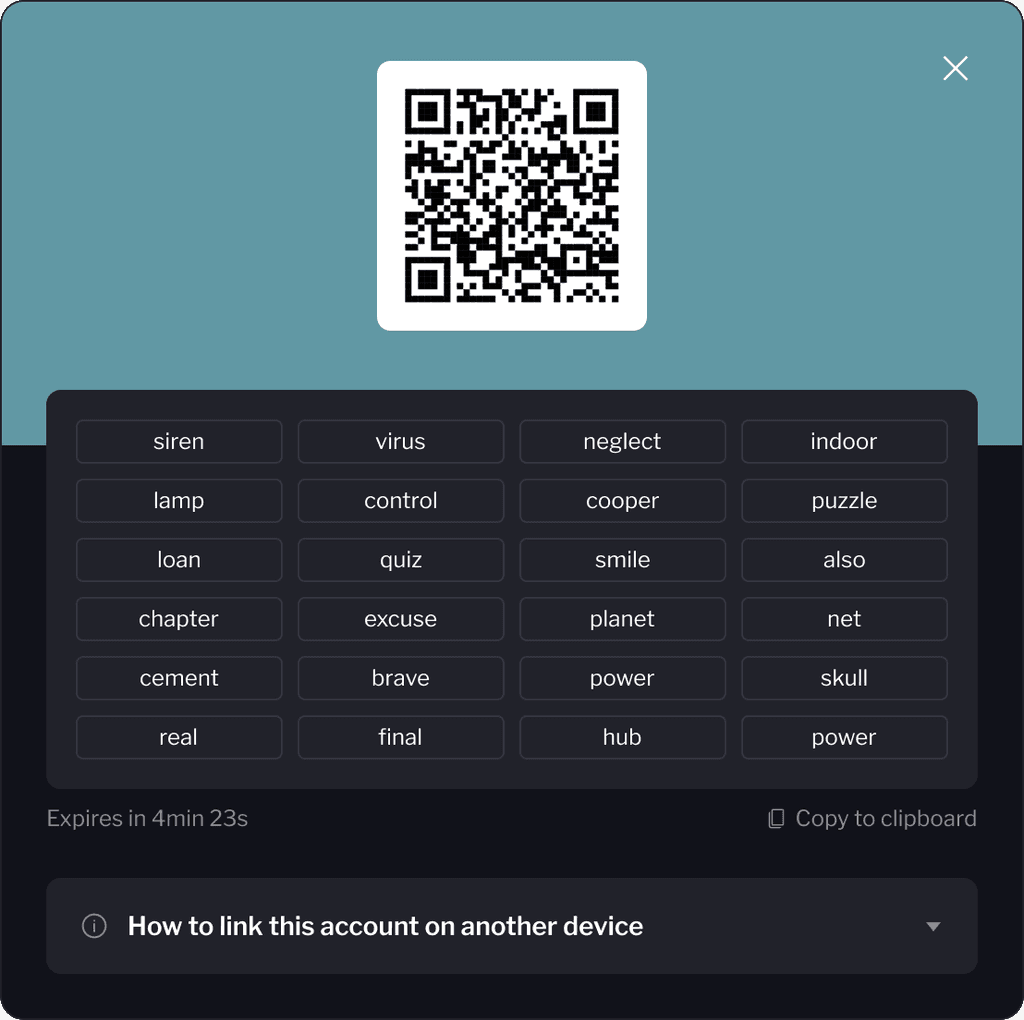
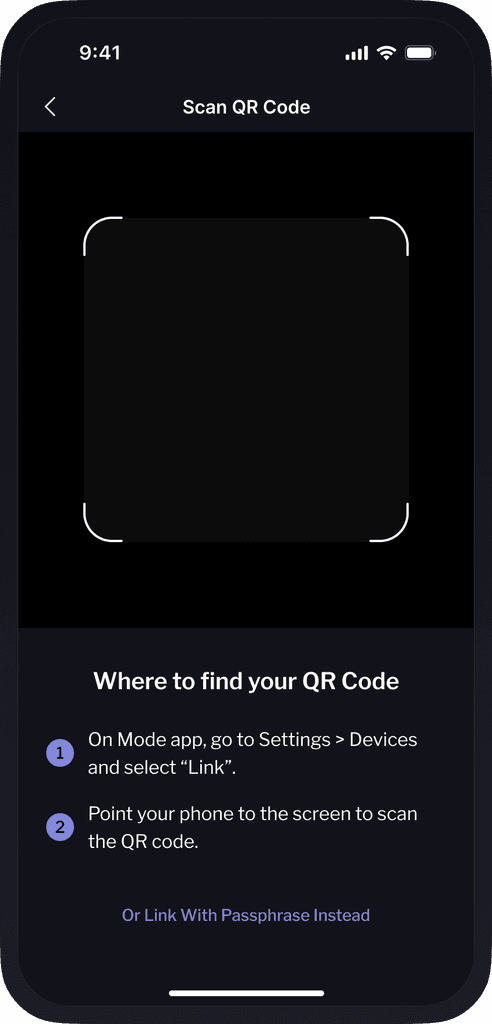
Action: Add brief instructions and offer an alternative to QR.
CONFUSING WORDING AND PASSCODE FLOW
Insight: “Unlock password” caused hesitation; desktop flow felt off.
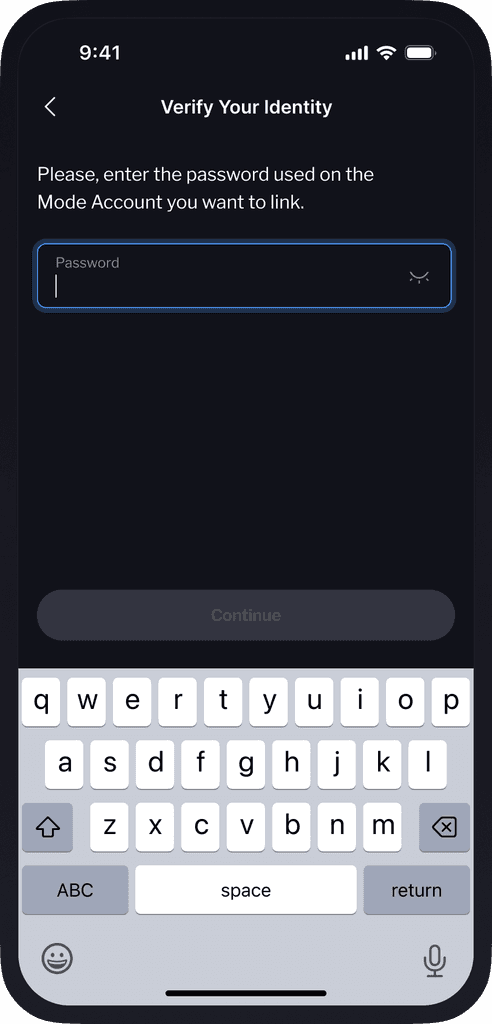
Action: Simplify copy to “Enter your password” and hide passcode unless needed.
HOW MIGHT WE
How might we design a linking flow that feels obvious, error-proof, and reassuring
for users who are new, distracted, or unfamiliar with QR and activation code processes?
FINAL DESIGN
A seamless linking experience between devices
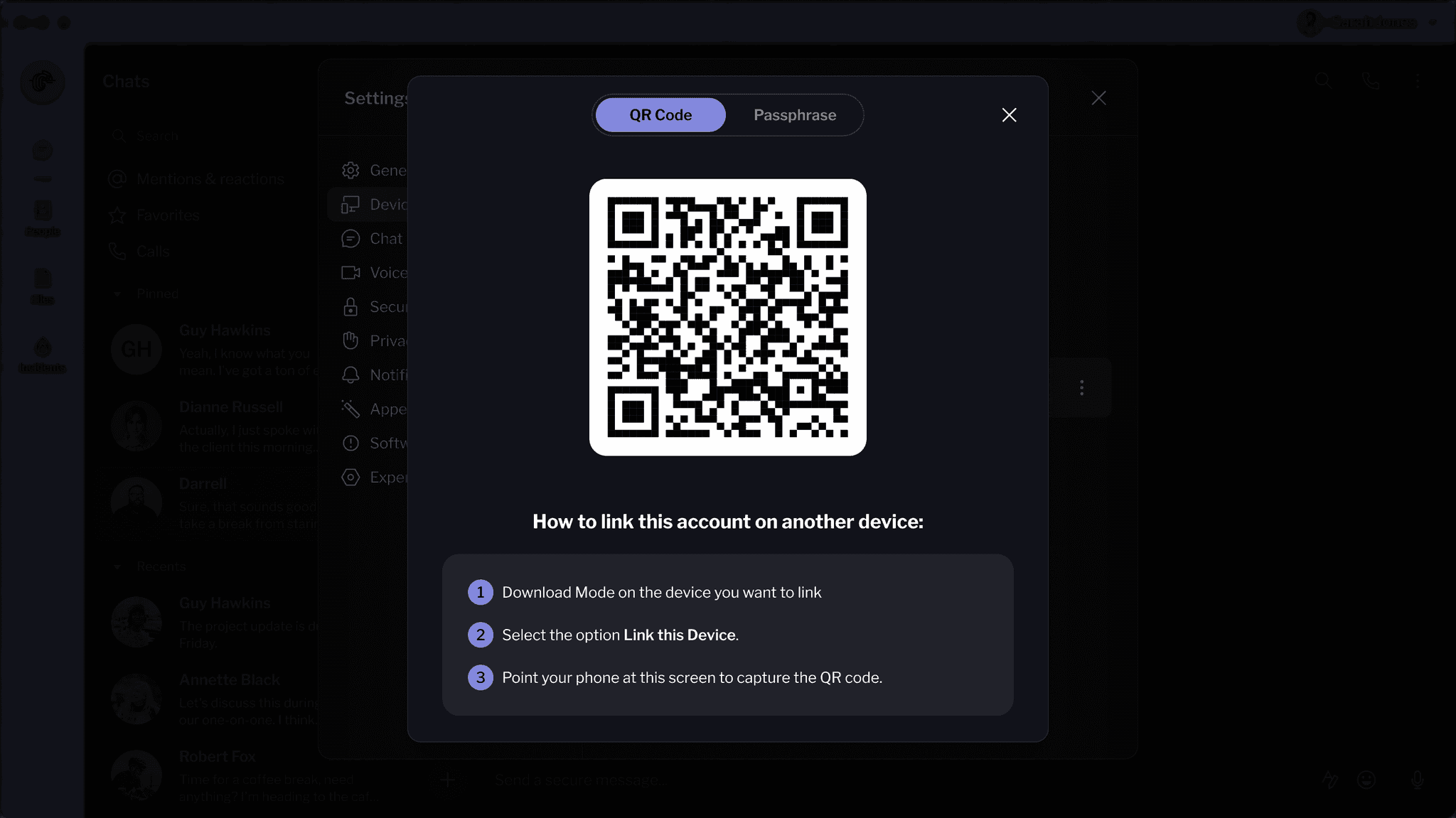
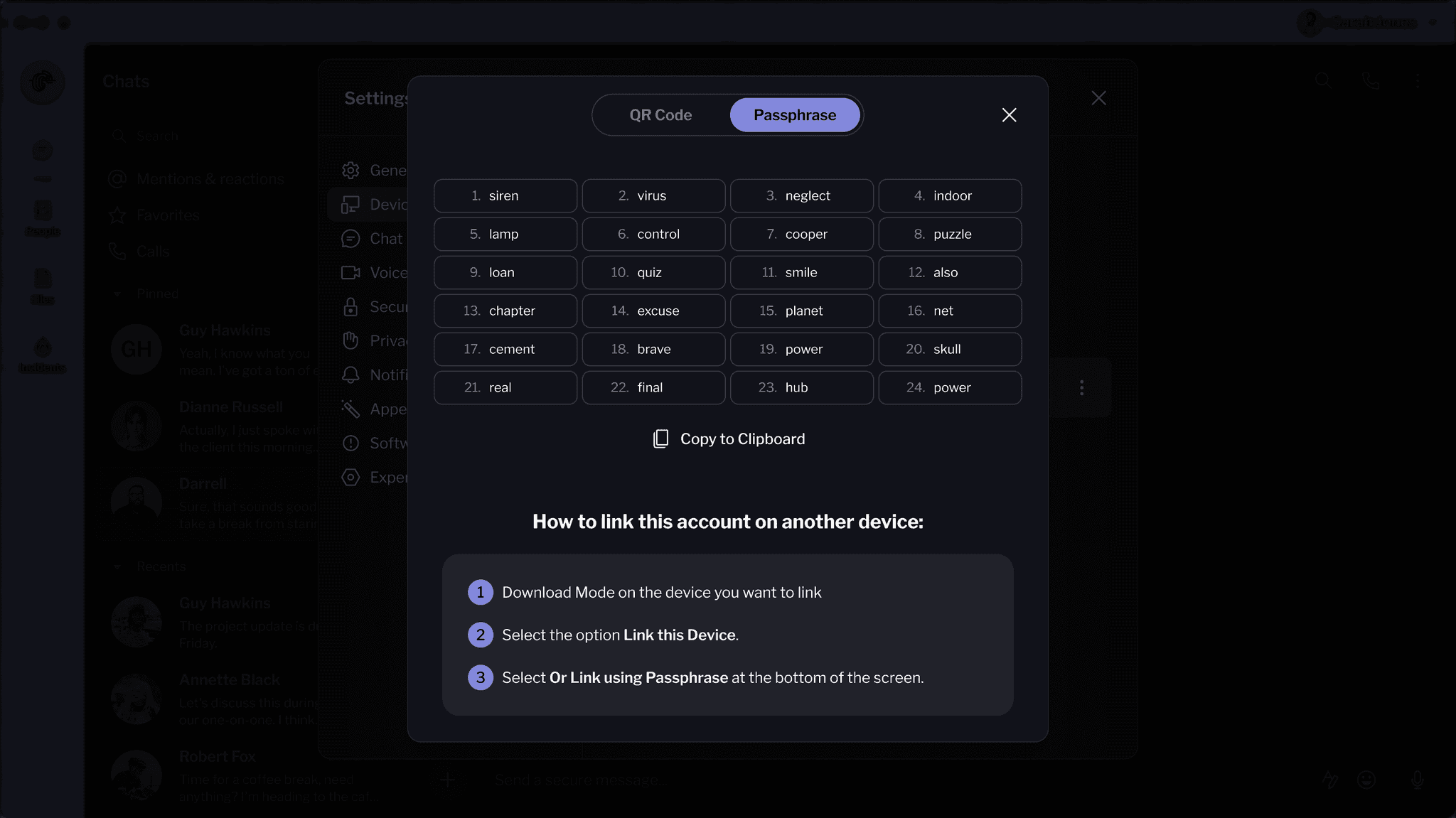
By simplifying language, improving visual hierarchy, and aligning mobile and desktop flows, we transformed a frustrating process into a clear, guided experience users can complete without second-guessing.
WELCOME
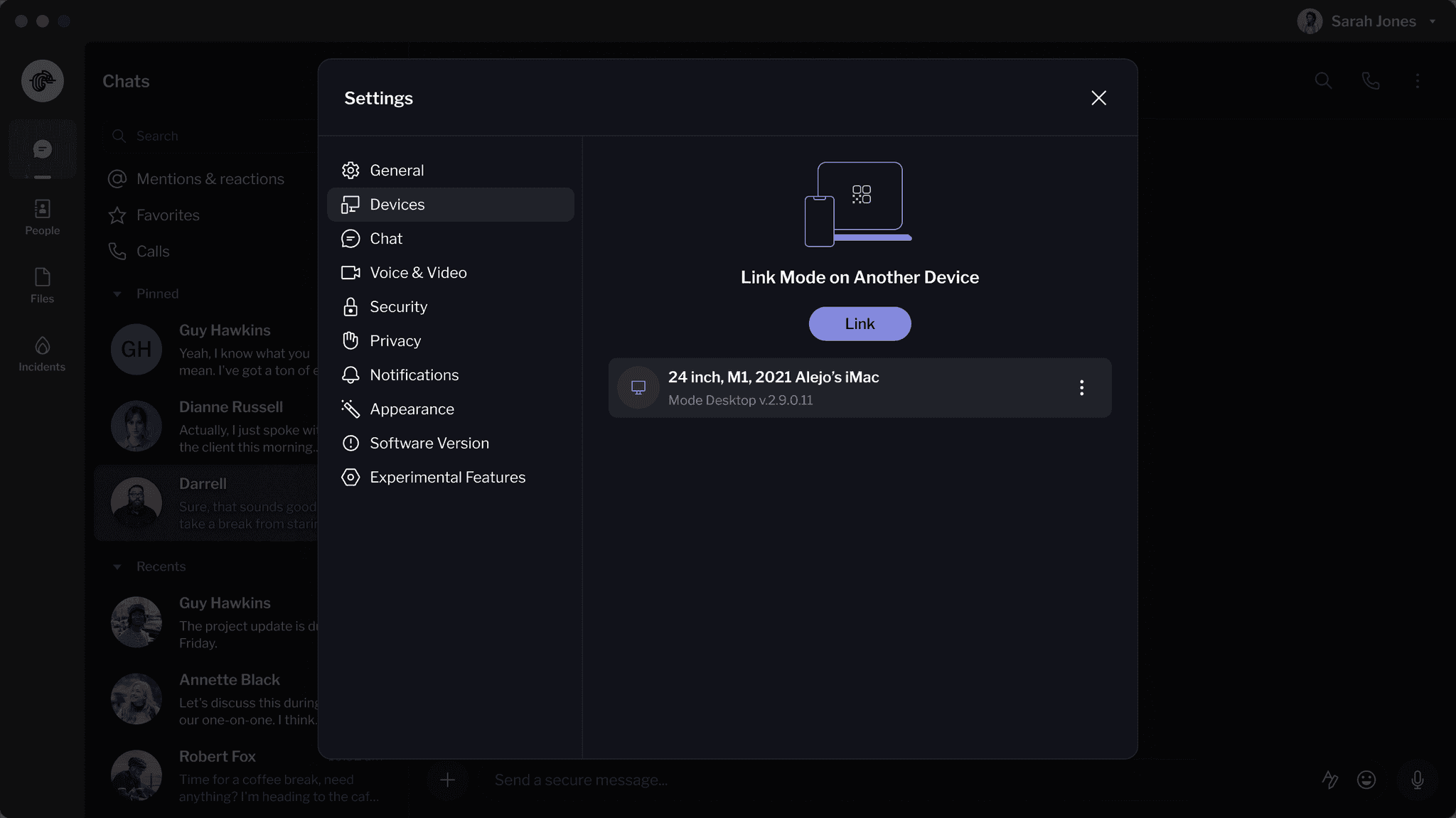
LINK DEVICE - SETTINGS
LINK WITH QR CODE
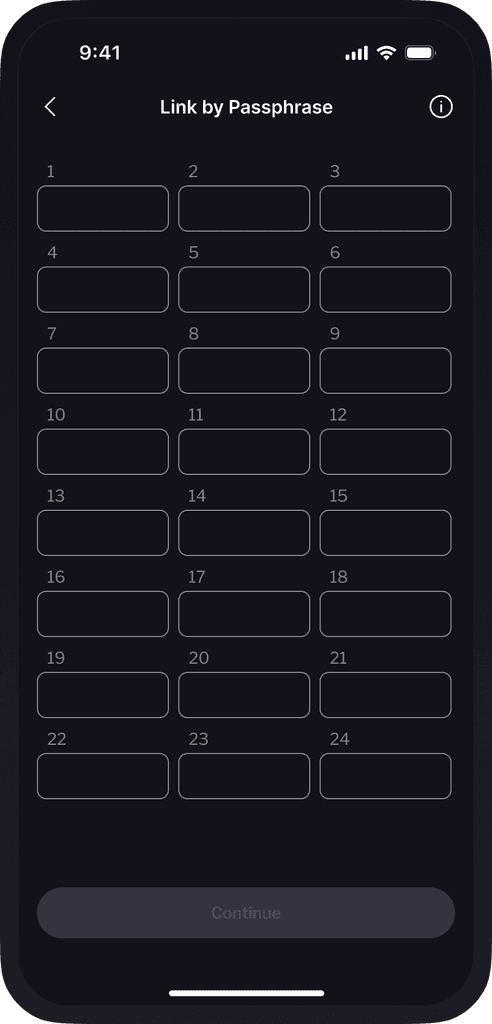
LINK WITH PASSPHRASE
WELCOME
LINK WITH QR CODE
LINK WITH PASSPHRASE
VERIFY IDENTITY
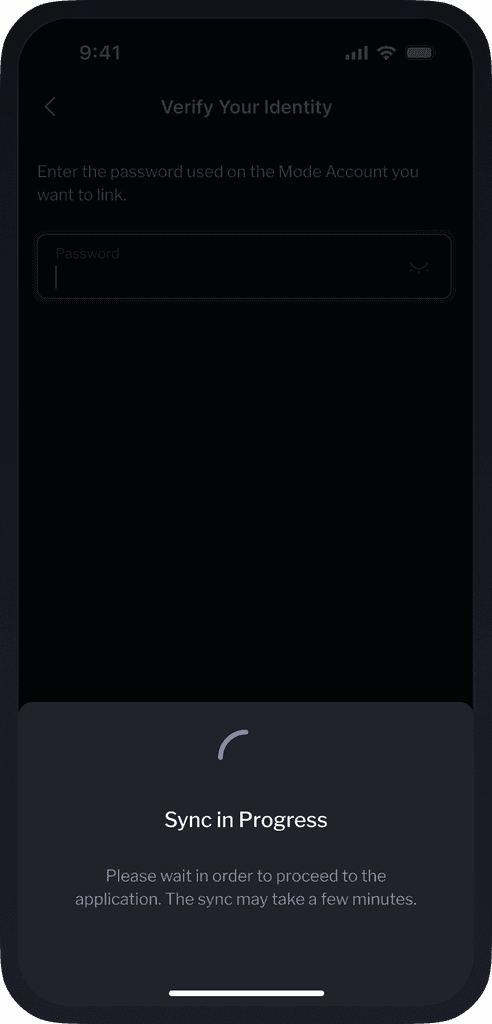
SYNCING
Let's connect
Feel free to reach out for collaborations or just a friendly hello.