ROLE
Lead Designer
RESPONSIBILITIES
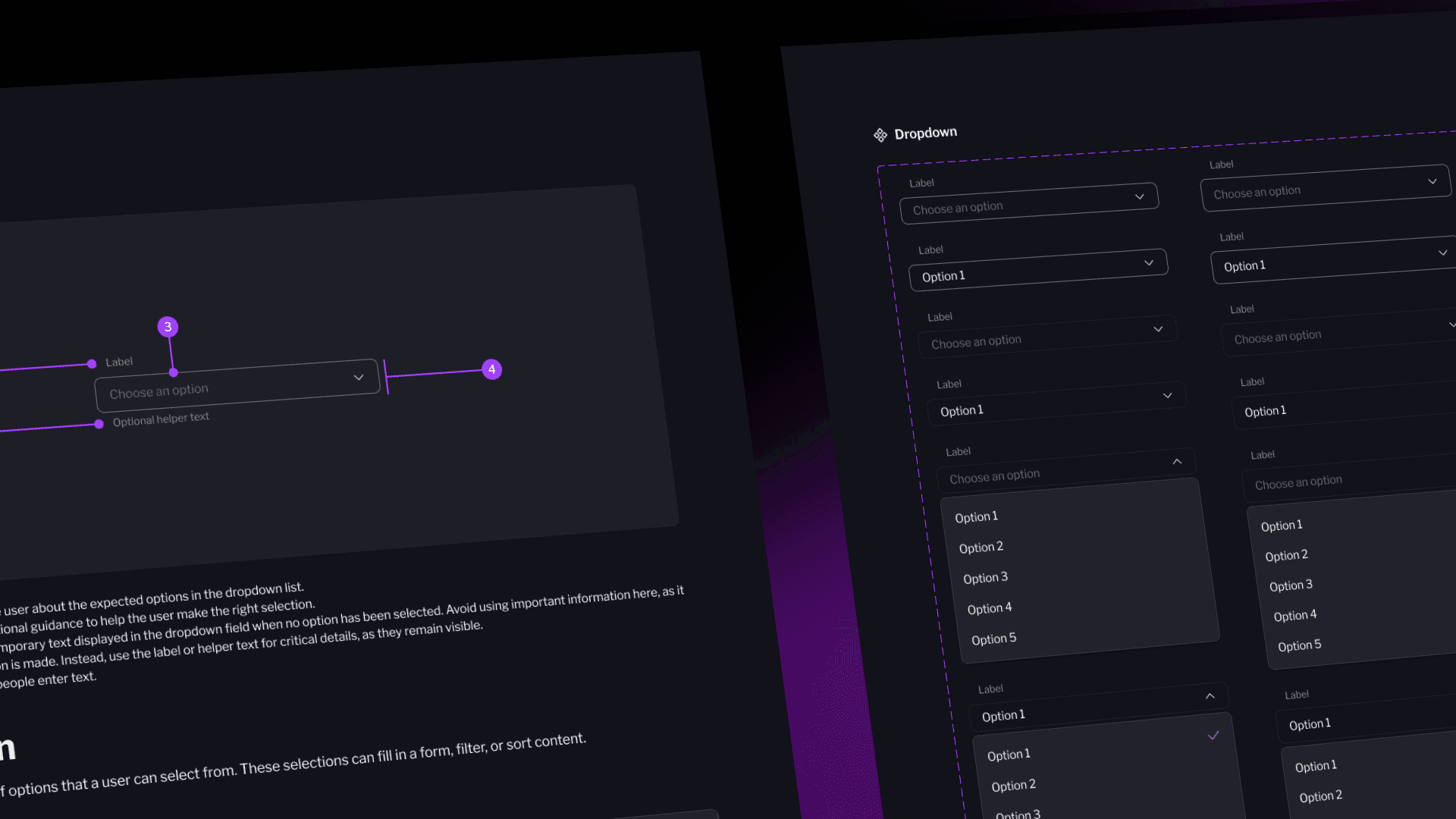
Owned the strategy and execution of the new Design System: defined foundations, built the component library, and aligned design and development across teams
COLLABORATORS
Worked with Product Managers, Engineers, UX Designers, Brand, and QA
THE PROBLEM
Mode’s design system lacked cohesion and consistency across products
Through workshops and interviews with designers and developers, three main issues emerged
INCONSISTENT UI
Components looked and behaved differently across products, leading to confusion and visual misalignment.
NO SHARED LANGUAGE
Each team used different naming conventions and design files, slowing down collaboration and handoff.
LOW ADOPTATION
Existing components were poorly documented, so teams preferred to design from scratch.
PROBLEM TO SOLVE
How might we build a scalable design system that brings visual consistency, improves collaboration, and accelerates delivery across teams?
THE SOLUTION
Building from the ground up:
establishing strong foundations first
We started by defining the foundations of our design system: colors, type, spacing, and iconography.
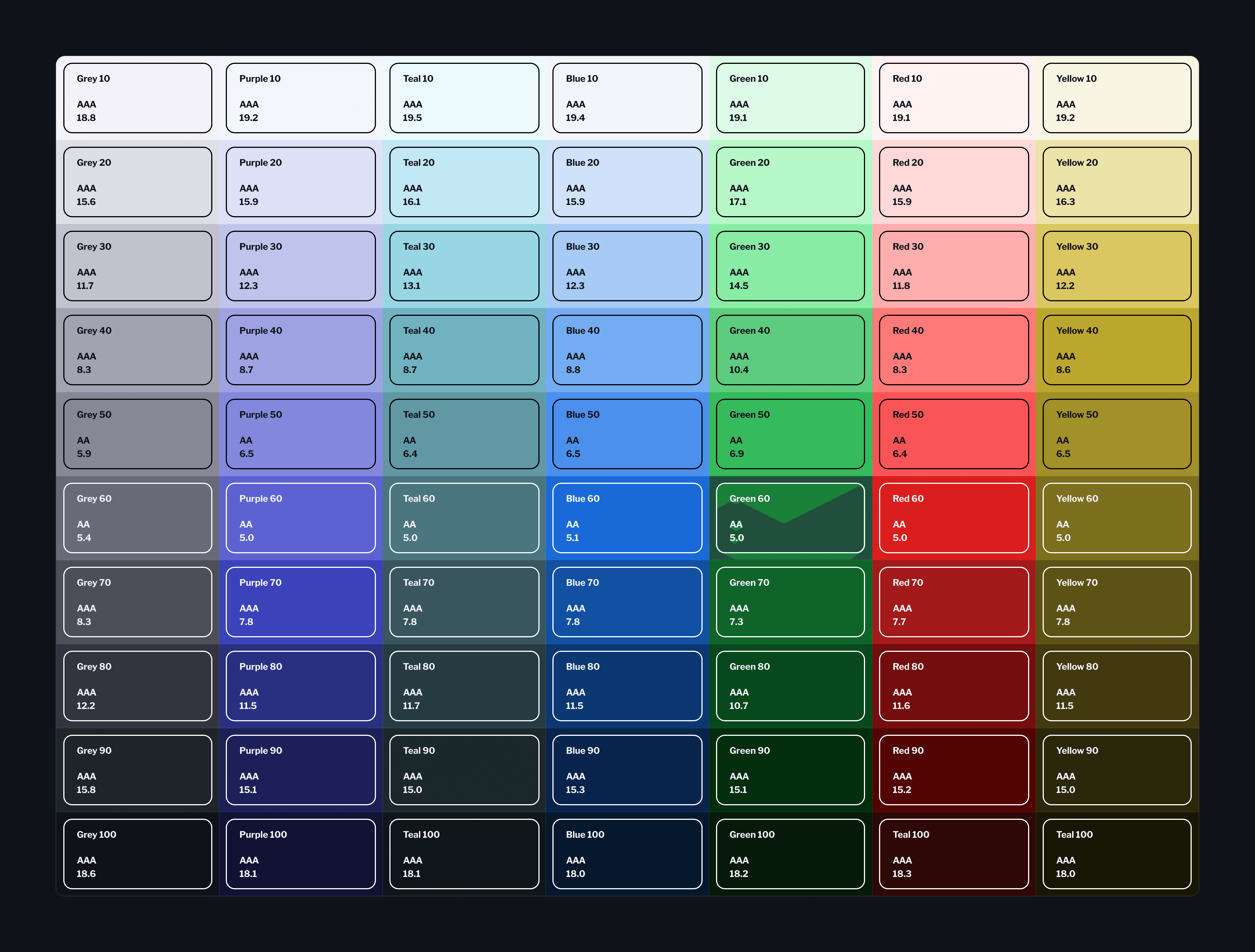
Color palette
I created simple and accesible palette to guide our users, create a branded look-and-feel, and draw attention to important information using semantic colors.
As the company transitioned to an enterprise product, scalability and consistency became critical.
Spacing
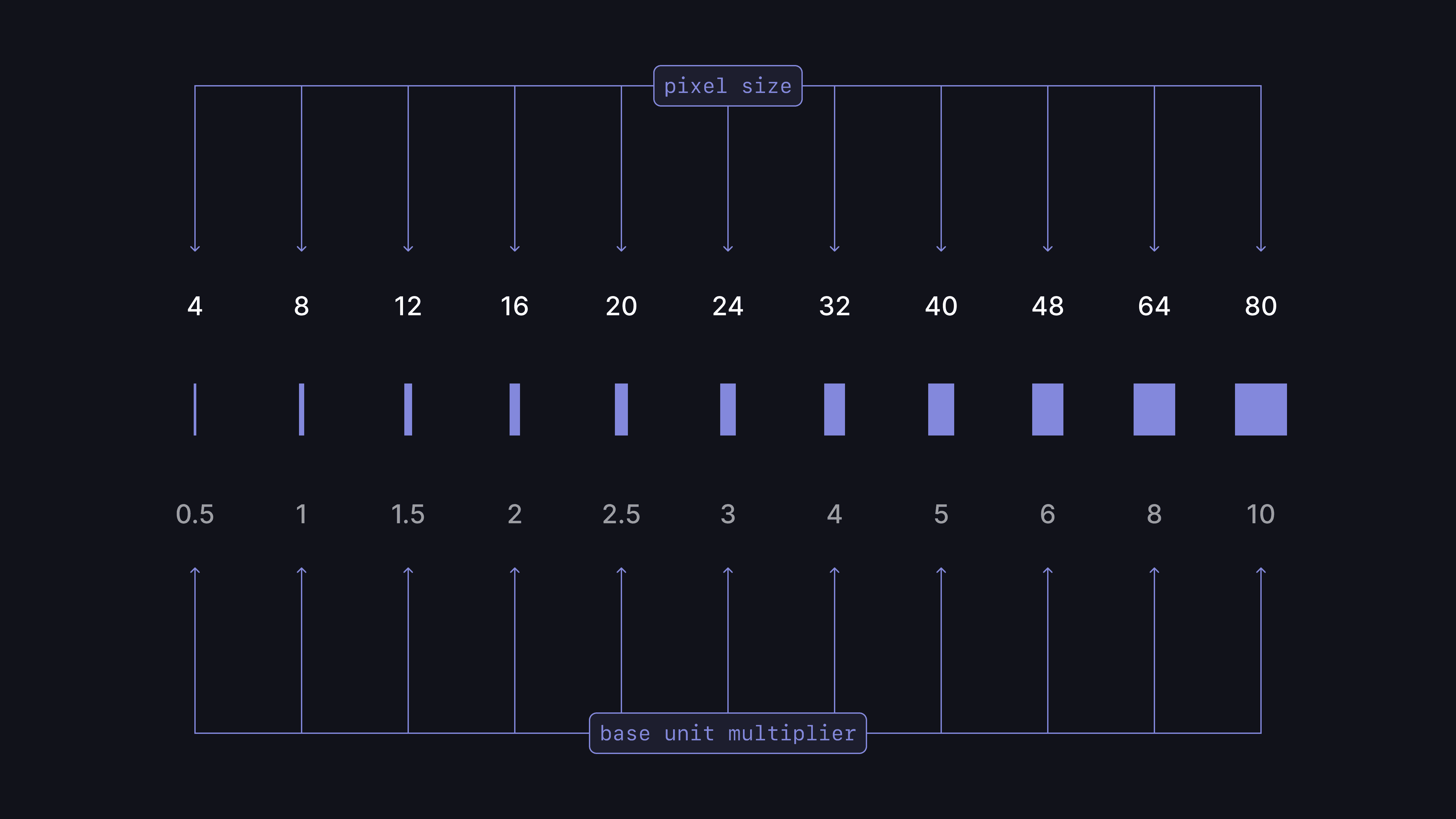
The intentional use of spacing will allow us to create a more consistent and harmonious experience, helping deliver clear, and easier to scan in a layout. To maintain consistency across the system, we use an 8-pixel UI grid.
Iconography
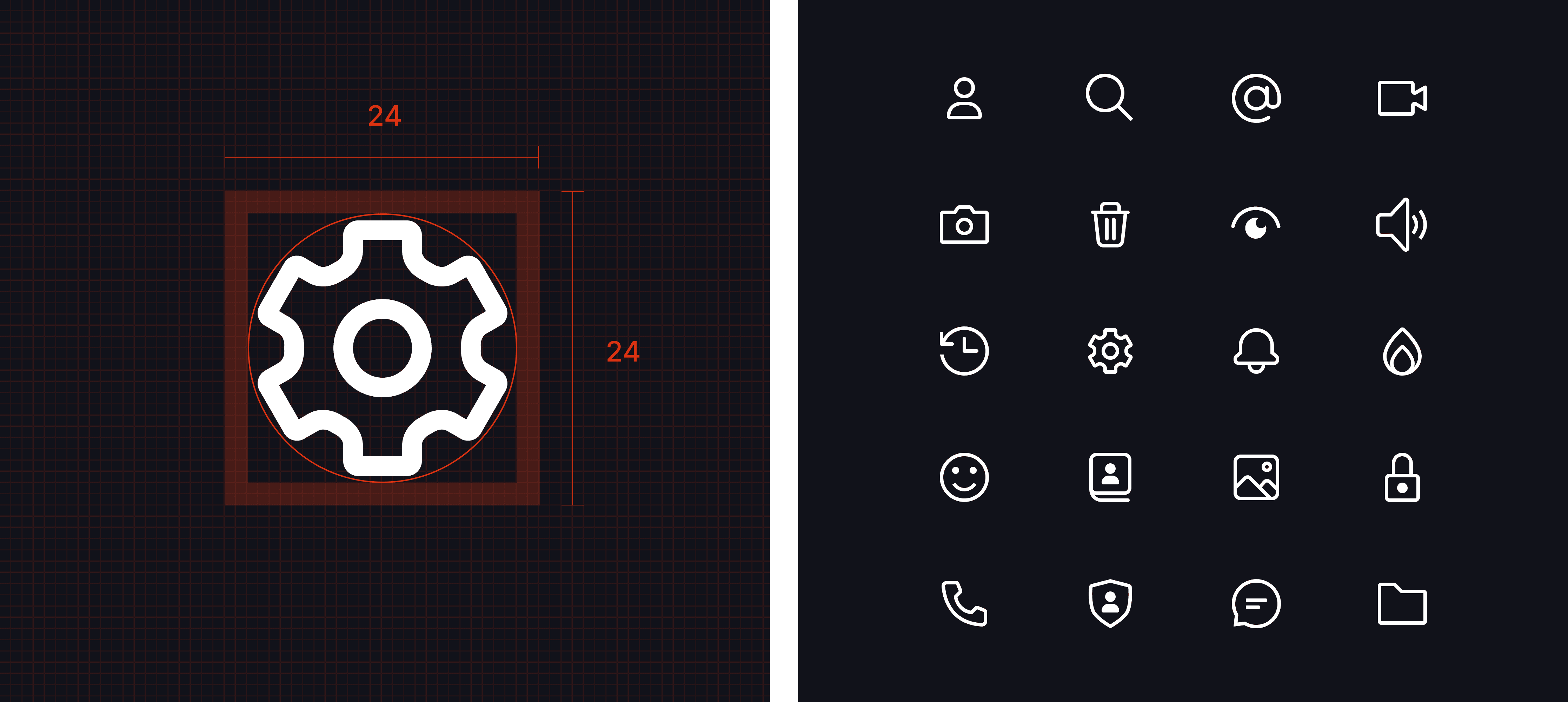
A cohesive, custom-built icon set that enhances clarity and keeps the product visually consistent.
Featuring more than 220 icons.
Typography
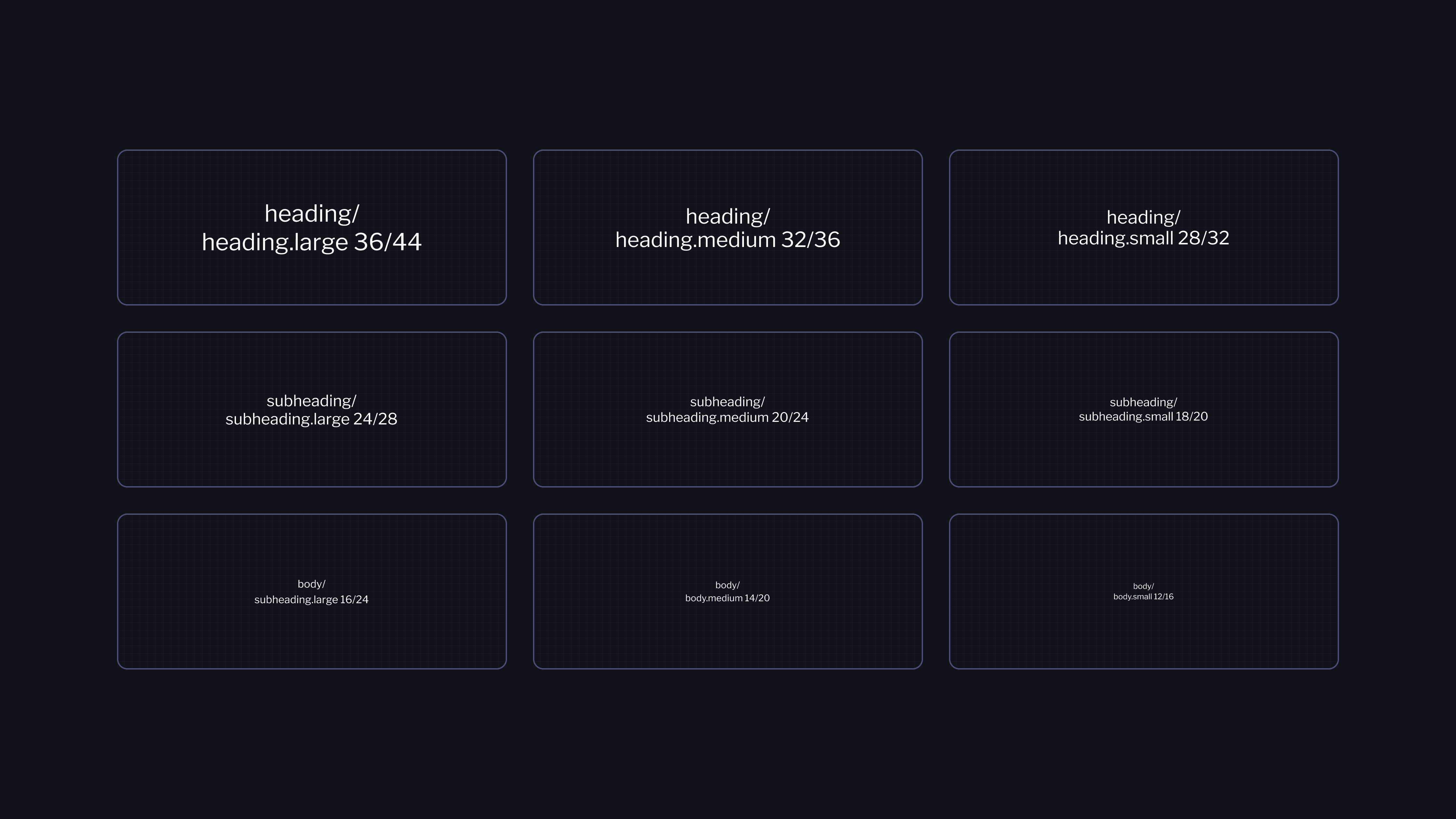
The scale was created to help create a strong and clear hierarchy designed to establish clarity, accessibility and consistency.To achieve this, i used a Major Second scale (ratio 1:1.125) as the foundation, this ratio ensures smooth, incremental steps between type sizes, helping maintain balance, legibility, and visual interest.
THE RESULT
Building from the ground up:
establishing strong foundations first
We started by defining the foundations of our design system: colors, type, spacing, and iconography.
Components
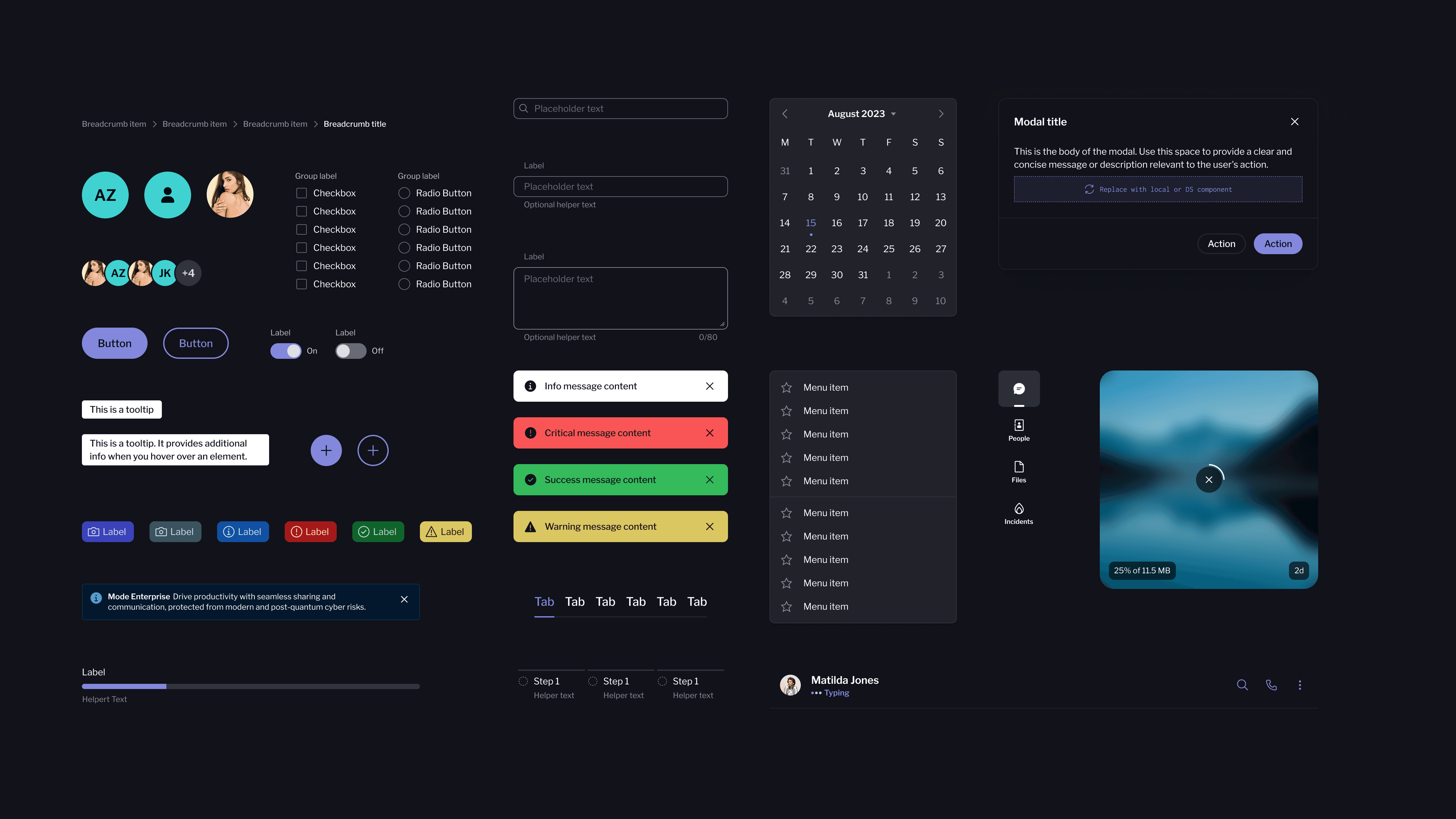
Once the foundations were defined and in place, i moved to the next phase: turning our principles into actual UI components. Following the atomic design approach, making sure they were reusable, flexible and clear to use.
Page composition
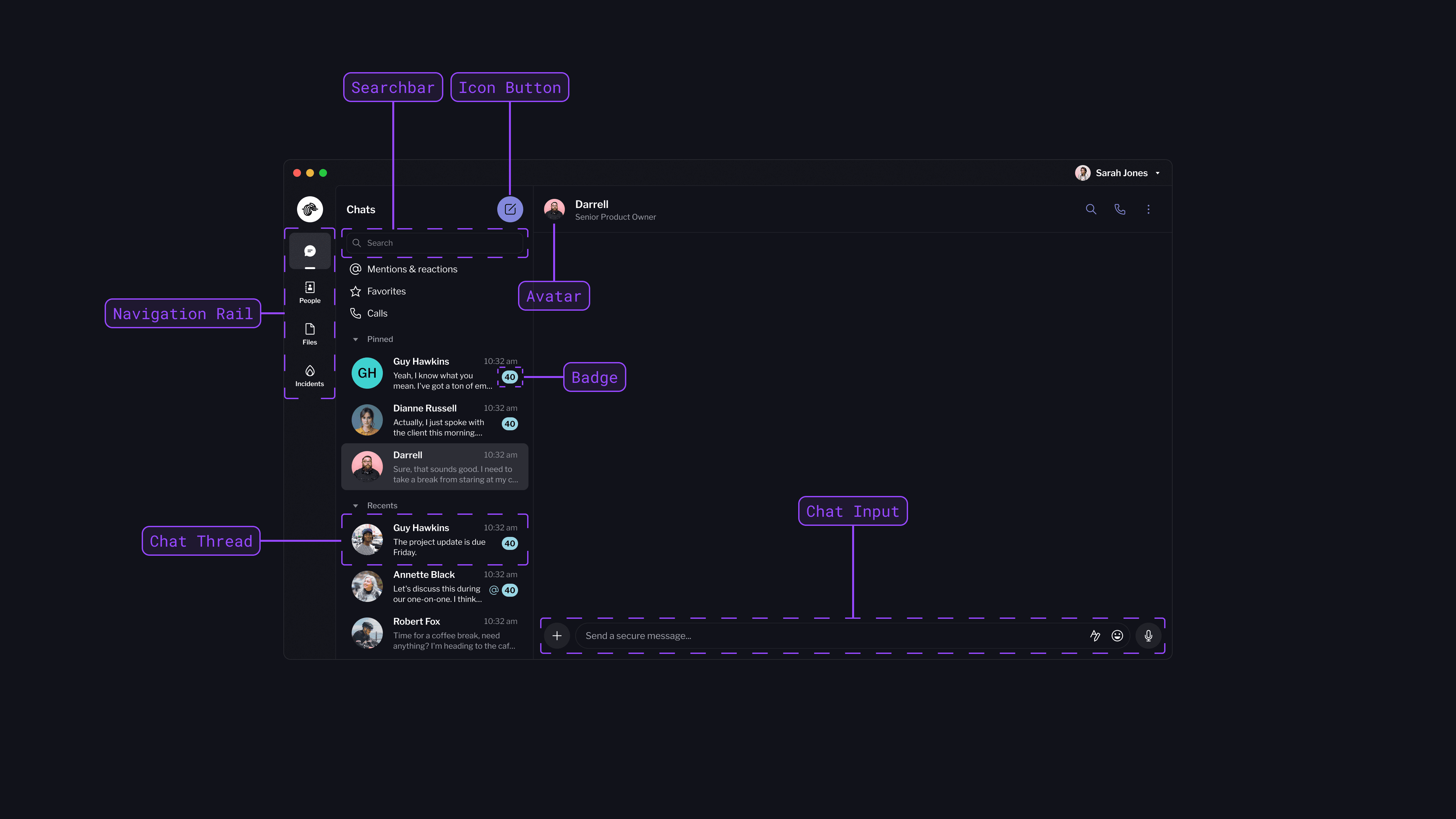
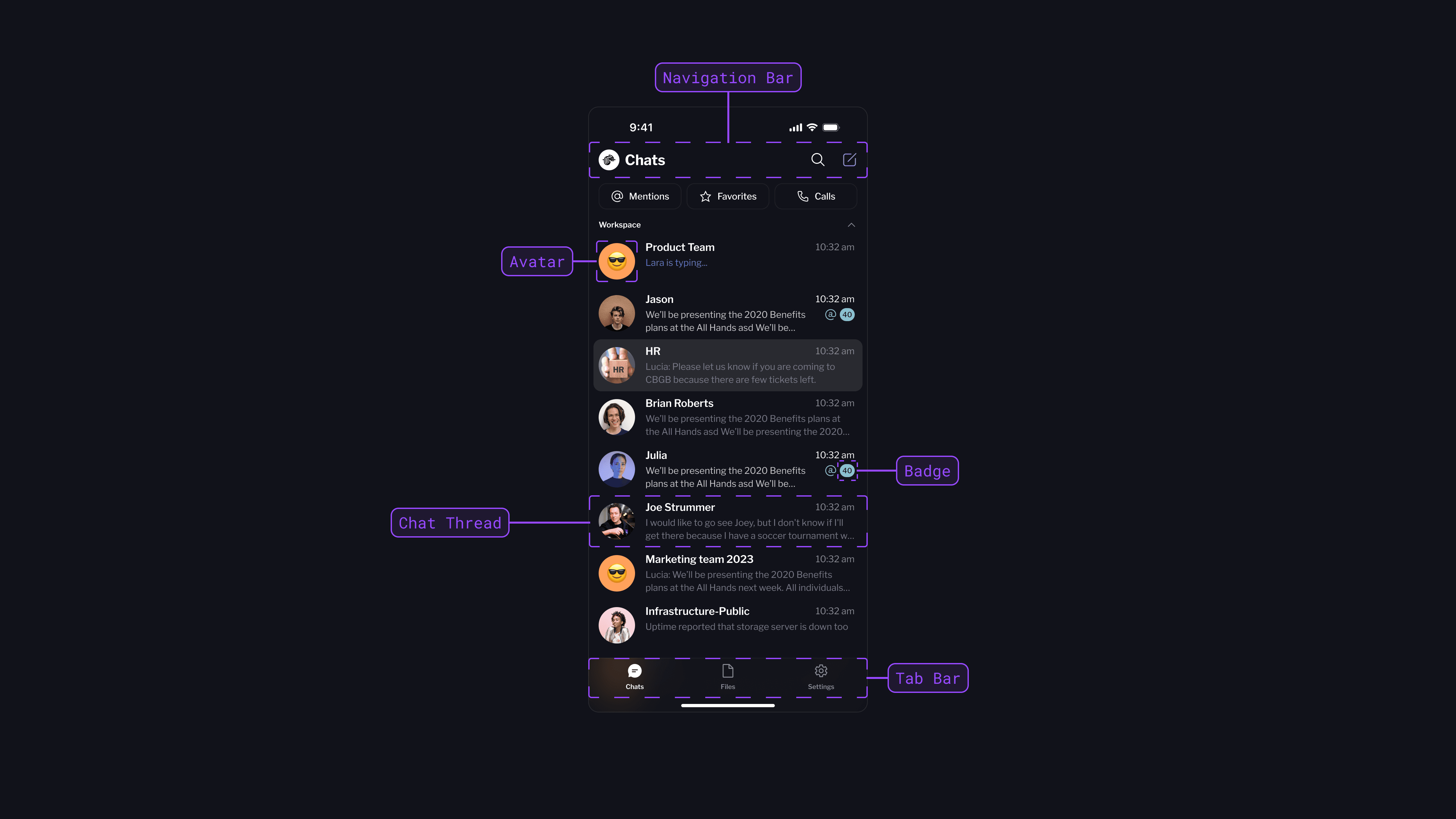
Here are some examples of how components are used throughout a screen.
Let's connect
Feel free to reach out for collaborations or just a friendly hello.